Crimson Desert’s first patch aims at fixing controls, but it mostly affects mouse and keyboard

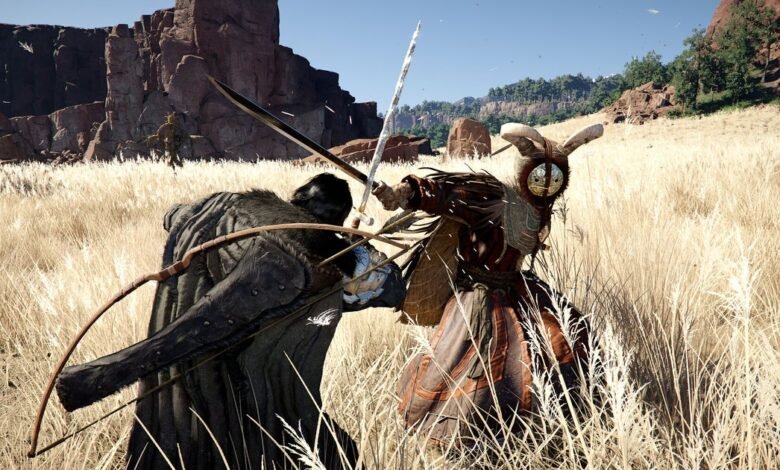
Crimson Desert has been out for a few days now, and as positive as its been received by many players, the game suffers from several fundamental issues that anyone who’s played it has called out.
Perhaps the loudest one of those has been how the game controls, which is a problem that stems from the complexity of controls themselves, as well as the underlying animations behind many of the actions the player character performs.
In the first case, at least, something is being done.
Developer Pearl Abyss rolled out patch 1.00.03 for Crimson Desert on Monday. The patch is available now on Steam and PlayStation, with Xbox and the Epic Games Store following “at a later time.”
Today’s update follows a letter to players the developer issued on Saturday. The letter generally acknowledged player feedback, but specifically pointed to complaints about the game’s clunky controls as something of a focus for the team.
The action RPG has actually broken its launch peak concurrent player numbers over the weekend, though only by a few thousands more. Its Steam user review rating has also improved over the same period.
This latest update only includes an initial set of fixes, but Pearl Abyss vowed to keep working on addressing all other points of feedback. A highlight in 1.00.03 is the addition of a Storage at Howling Hill Camp, which can be used to store inventory items.

The most important changes, of course, affect how the game controls on keyboard and mouse. Pearl Abyss included several fixes and altered some of the default presets to make the experience less painful when playing the game with a keyboard and mouse.
There are sadly no changes to controllers, but it is something that the developer said we can expect to see in future patches. More improvements for keyboard and mouse setups are in the works, too.
Here are some highlights:
- [General] Improved the response speed of the interaction UI.
- [General] Improved the responsiveness of jump inputs.
- [General] Fixed aiming to target the center of the screen when using a Lantern or while unarmed.
- [General] Improved the Equipment Quick Slot so that re-selecting your current equipment will stow it.
- [General] Improved the responsiveness of the Main Menu UI.
- [General] Fixed an intermittent issue where the Main Menu would not open.
- [Keyboard/Mouse] Improved the responsiveness of character movement controls.
- [Keyboard/Mouse] Added the following shortcuts to open and close certain menus: Inventory: [I]. Skills: [K]. Journal: [J]. Map: [M].
- [Keyboard/Mouse] Fixed an issue where the key guide at the bottom right of the screen would not update when using Guard or Aim.
- [Keyboard/Mouse] Added default control options for Guard/Aim (Side Button 1) and Evade (Side Button 2).
- [Keyboard/Mouse] Changed controls to maintain movement input when using Axiom Force.
- [Keyboard/Mouse] Fixed an issue where duplicate keys could be assigned in Shortcuts and Input Settings.
- [Keyboard/Mouse] Fixed an issue where certain inputs did not function correctly after changing the Shortcuts and Input Settings.
Beyond the control changes, patch 1.00.03 also includes a set of gameplay tweaks, especially when it comes to enemy health and difficulty. It also makes fast travelling more convenient, and brings a few fixes to NPC dialogue. You can read the full change log on Steam.
If you’re deep in Crimson Desert already, we definitely recommend giving our guides a look. We recently added new pages to help you figure out where to socket your Abyss Gear, how to find Contribution Points – and where to spend them, as well as more generally helpful information like how to expand your inventory, and how to reveal the map.
Source link